There’s a photo on your phone right now that you love. Maybe it’s the beach trip where, for once, everyone was actually looking at the camera. Maybe it’s the last good picture with your dad. Maybe it’s just your kids in a moment you already know you’ll want back in ten years, when they’re taller and busier and a little less yours.
You’ve been meaning to do something with it. Not print it small and tuck it in an album — something worthy of it. Put it on the wall. Turn it into a family portrait that feels like a keepsake instead of a snapshot.
So you searched for how to turn a family photo into a painting, and now you have a dozen tabs open and a knot in your stomach. Because you’ve seen what AI does to faces: the extra fingers, the plastic sheen, the way it turns real people into strangers who almost look like your family. And for a photo that means this much, “almost” is the worst possible outcome.
This is a plain guide to how it actually works, what it costs, and — most of all — how to make sure it still looks like your people.

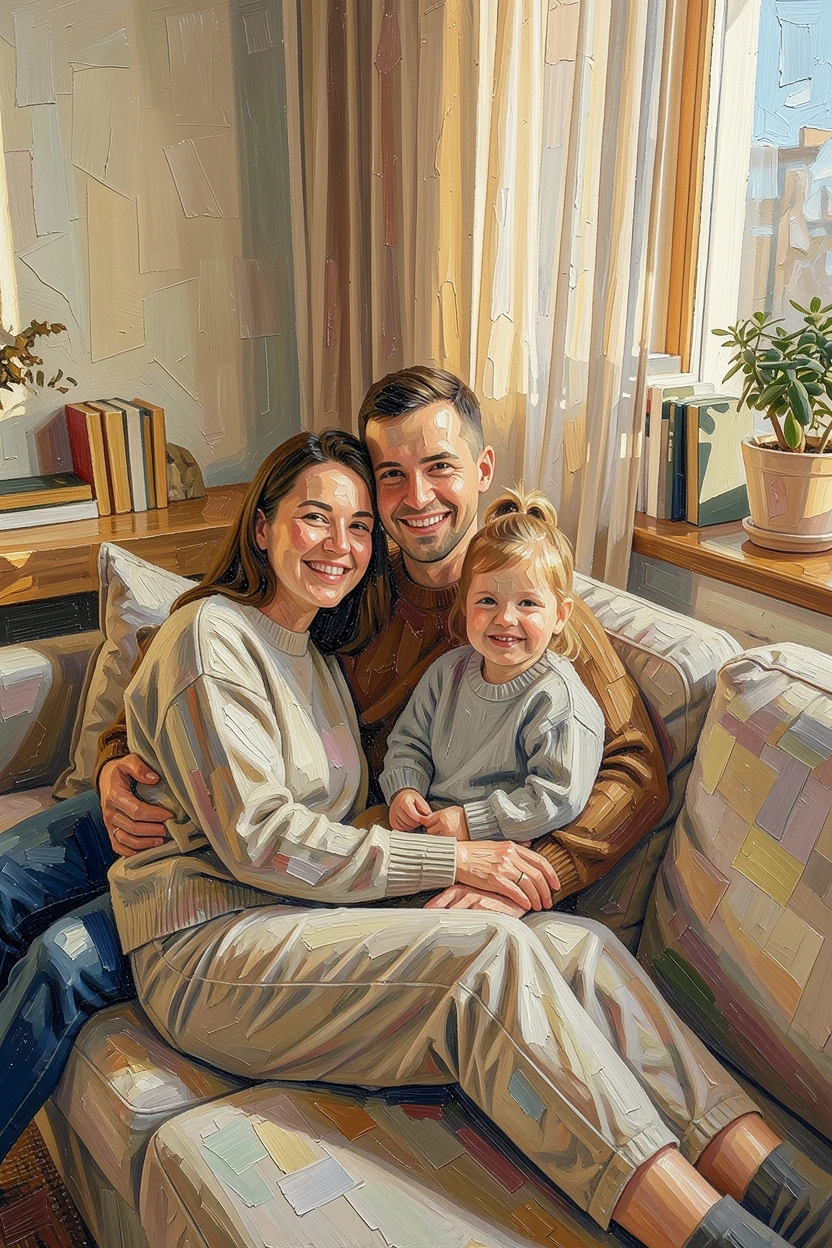
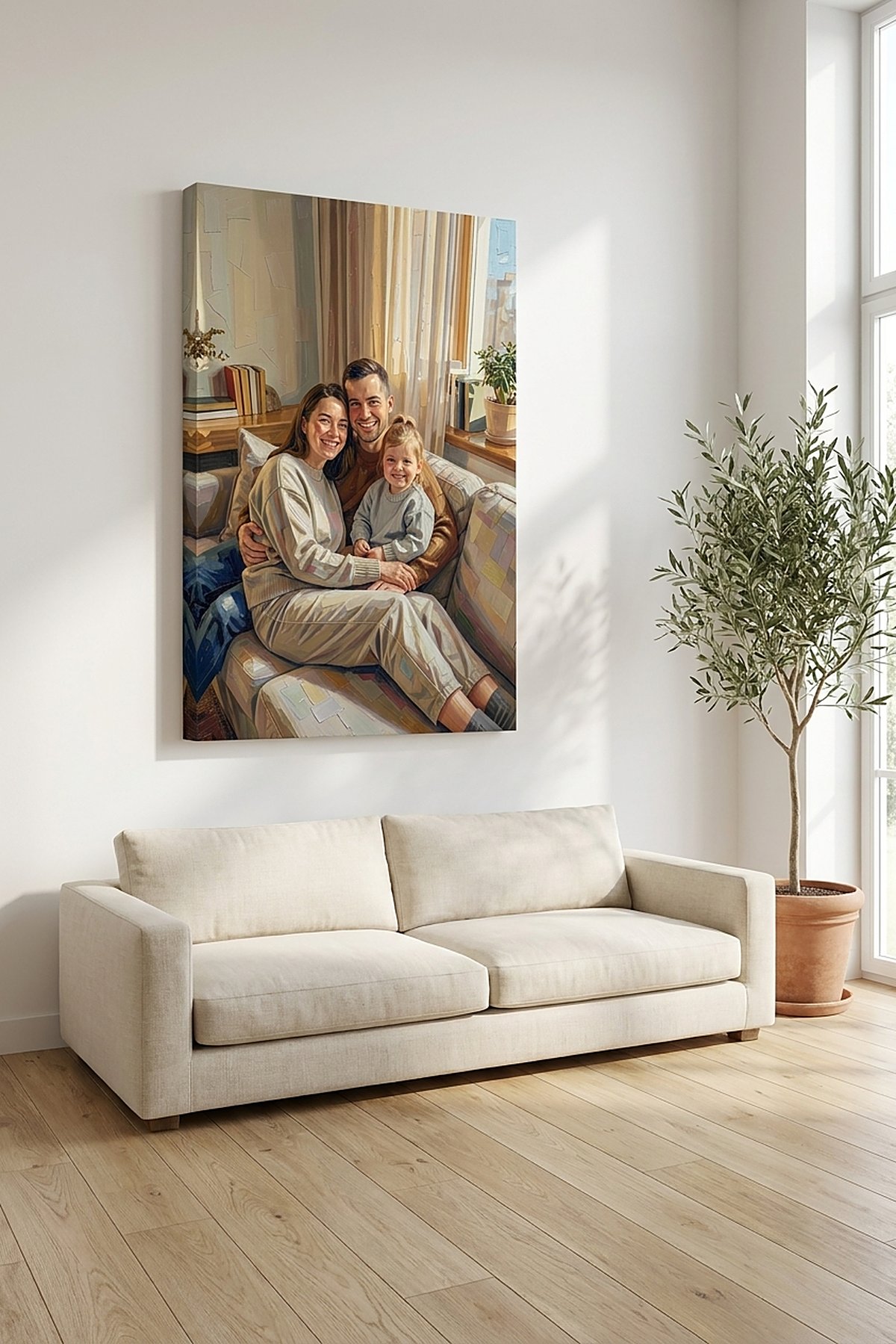
That’s a candid, imperfect phone photo above — the kind you actually have — turned into a Classic Oil portrait and printed on a gallery-wrapped canvas. Look at the faces first. Same people, same expressions, just painted. That’s the bar.
Will it actually look like my kids?
This is the fear, and it’s the right one to have. For a painted family portrait, likeness is the whole job. The style changes; the people don’t.
Your daughter’s specific smile, your dad’s actual face, the gap in a kid’s front teeth, the cowlick that won’t lie flat — those are exactly the things a cheap one-click filter smooths away “to make it prettier,” and exactly the things that have to stay. That’s why the before/after above shows faces clearly instead of hiding them at a flattering angle. If you can’t see that a service keeps the likeness, assume it doesn’t.
Can it handle a group of four or five without scrambling faces?
Yes — and this is worth confirming, not assuming, because plenty of AI art looks fine with one person and falls apart with five: melting a toddler’s face, dropping someone in the back row, miscounting the people entirely.
The painting is applied across the whole scene together, so the group stays a group — same number of people, everyone recognizable, the little one still the little one. And you don’t have to take that on faith, which brings us to the part that matters most.
You see it before you pay
You never commit money to a mystery. The flow is simple: upload your photo, pick a style, and preview the actual result — yours, not a marketing sample of someone else’s family.
Then look hard. Count the people. Check the eyes, the hands, and especially the kids and anyone you’ve lost. If something’s off — a face that isn’t quite right, a style you don’t love — you’re not stuck with it. You can switch styles or try again, and you only order once it genuinely looks like your family. Naming the worry is the point here. You’re allowed to be picky.
Choosing a style that looks like a painting, not a filter
Styles like Classic Oil and watercolor are meant to read as real paintings — visible brushwork, canvas texture, the depth an actual painter would give it — not a phone filter dropped over a photo.
A calm way to choose is to match the style to the room and the mood. Warm oil suits a living-room heirloom and holds up beautifully on a large canvas. Softer watercolor feels gentle and works well for a newborn or a quiet memorial piece. When you preview, you’ll often notice one style simply keeps the faces looking most like themselves — sometimes that alone decides it.
What kind of photo you need
A normal phone photo is fine. It doesn’t need to be studio-perfect or professionally shot. What helps most is simple: faces you can see reasonably clearly and decent light. If you can make out each person’s features on your screen, the portrait can keep them.
The hard cases are deep shadow across half a face, someone turned mostly away, or kids blurred into a smear because they wouldn’t sit still. For a group of four or five, pick the frame where the most faces are clear and unobstructed — that’s the one worth painting. That candid from the kitchen or the beach is exactly what this is for. You don’t need to go stage a new one.
What it costs, and how fast it is
Making and previewing your portrait is quick — minutes, not the weeks a commissioned painter takes, and nowhere near the hundreds of dollars a hand-painted commission runs.
You only pay when you order a physical print, and your price depends on what you choose: canvas or poster, and the size. The number you see at checkout is the number — no “starting at,” no surprise upsell at the end. A print then ships to your door on a normal delivery timeline, so if you’re aiming for a birthday, an anniversary, or a holiday, order with a little room to spare.
Canvas or poster: making it a real thing on the wall
Once the portrait looks right, you choose how to keep it. Both are real prints you hang — not a digital file you’ll lose in a folder.
- Canvas is gallery-wrapped and ready to hang straight out of the box. It has texture and weight, and it reads as a painting on the wall. For the photo you’ve been carrying around for months, this is the heirloom choice.
- Poster is the flatter, more affordable print — beautiful in its own right, and you can put it in a frame you already have.
What happens to your photo
A fair question, and a short answer: your photo is used to make your portrait, and that’s it. It isn’t sold off or turned into stock, and your family isn’t a product. You upload the picture that matters to you, get your portrait back, and keep it.
That photo won’t get less precious sitting in your camera roll — the kids only get bigger, and the moment only gets further away. Turning it into a family portrait you can actually hang is the small, doable version of “I really should do something with that.” When you’re ready, upload it and see the preview for yourself at https://platform.reart.app/ — no payment to look, just your photo and your family, the way they actually are.