You already have the photo in mind. Maybe it’s the one of your dog, or your parents on their wedding day, or that evening in Portugal where the light did something it’s never done since. You searched “photo to oil painting” and then hesitated, because you’ve seen how that usually goes: a swirly, over-saturated filter that looks like a screensaver, faces gone slightly wrong, the whole thing shouting “made on a phone in four seconds.”
That worry is the right instinct. Most one-tap oil effects do age badly. So here’s the honest version: which photos actually work, what the oil look genuinely does to an image, and how to keep the result on the right side of taste.
Which photos work for a photo to oil painting, and which fight it
Start with the thing that actually decides whether you’ll be happy: the photo you feed it. An oil treatment doesn’t invent detail. It reworks what’s already there into brushwork, colour, and light. So your source photo sets the ceiling for everything that follows.
The good news is you don’t need a professional camera. A recent phone photo in reasonable light is usually plenty. What matters is clarity on the thing you care about.
Photos that work well:
- A clear subject. One dog, one face, one couple, close enough to fill a decent part of the frame. You can see the eyes.
- Soft, even light. Daylight near a window, open shade, an overcast day. Even lighting gives the brushwork something honest to follow.
- A calm background that isn’t fighting the subject for attention.
Photos that fight back:
- Blurry or heavily zoomed. If the detail isn’t in the original, paint can’t invent your dog’s actual face. It’ll guess, and guesses are where things go uncanny.
- Very dark or backlit. Deep shadow with no detail gives the style nothing to render, so it fills the gap, not always the way you’d want.
- Busy backgrounds. An oil pass will happily paint the pile of laundry behind your dog in loving detail.
If you’re choosing between two photos, pick the sharper, better-lit one even if the pose is slightly less perfect. Clean light beats a nice angle almost every time.
A landscape is a forgiving place to see this in action, because there’s no face to get wrong. Soft outdoor light and broad shapes are exactly what oil handles best, so you can watch what the brushwork does to light and depth on its own before we ask it to handle something harder.
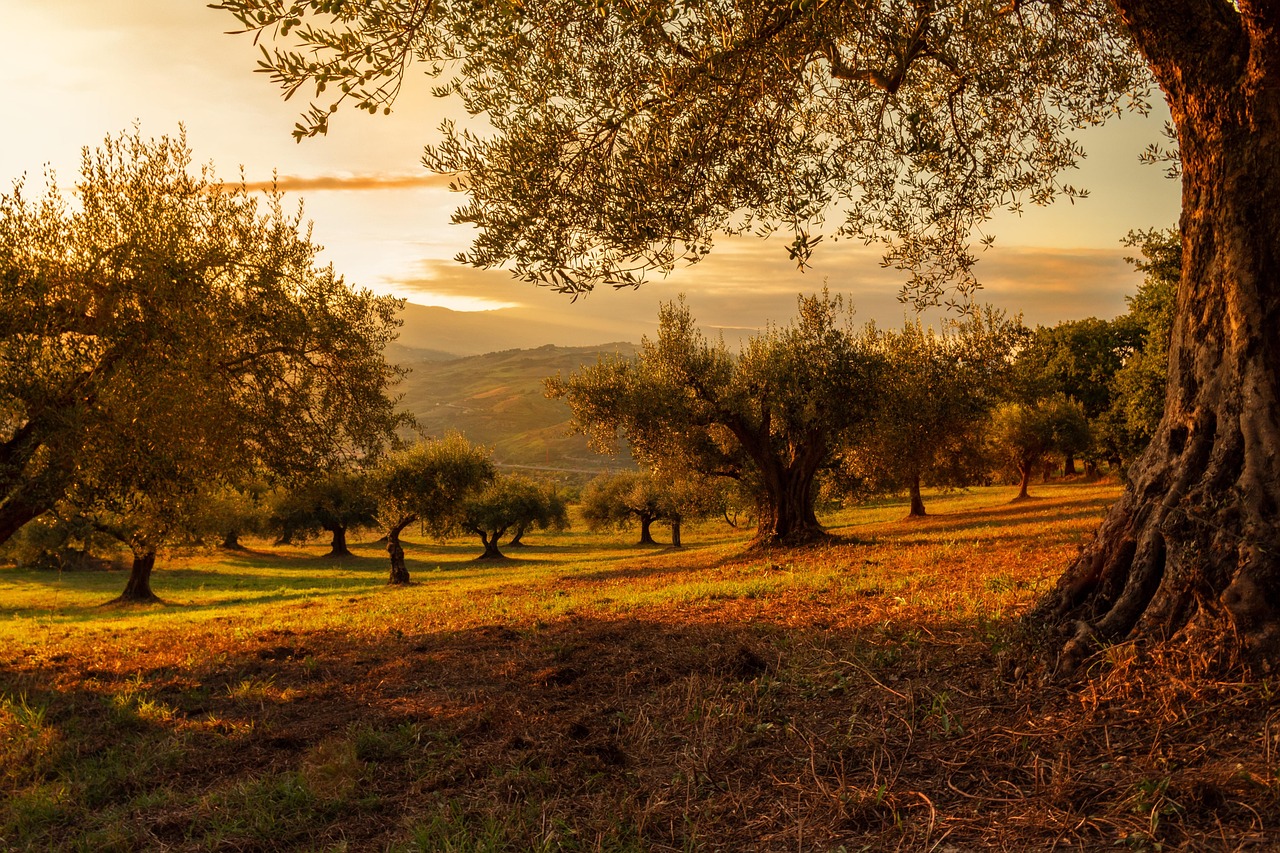
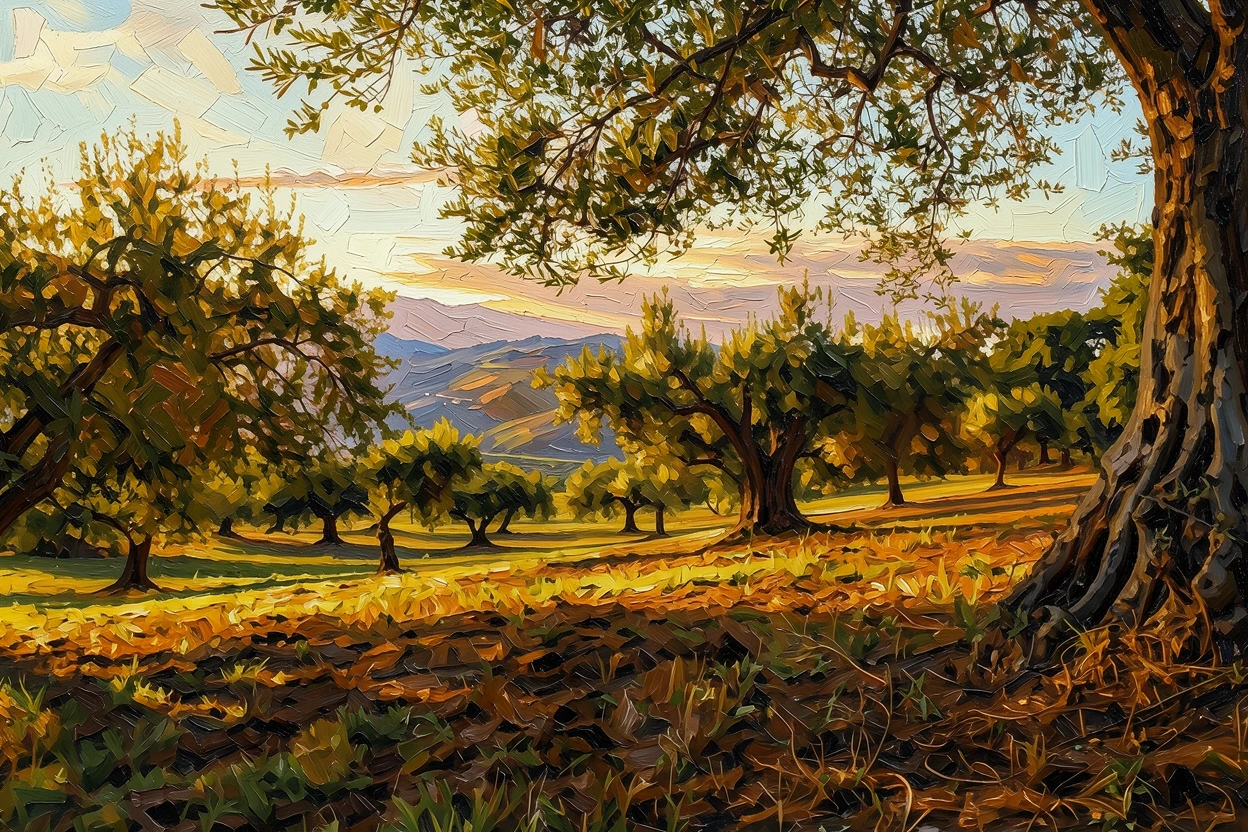 Photo Painting
 Source photo by Chikilino via Pixabay. After: generated with ReArt.
What the oil look actually does to a photo
A filter sits on top of your image and pushes the colours around. It doesn’t understand what it’s looking at, so it smears everything with the same texture: the sky, the face, the grass, all one plastic sheen.
Turning a photo into an oil painting properly is a rebuild, not a filter. The image is re-interpreted as brushwork:
- Strokes with direction that follow the cheekbone, the curve of an ear, the fold of a sleeve, instead of a uniform crosshatch stamped over the whole frame.
- Depth from paint, not saturation. The subject lifts forward and the background settles back, the way a real painting reads across a room, without cranking every colour to maximum.
- Warmth. Oil tends to flatter skin and fur. Harsh phone lighting softens; slightly flat photos gain a bit of glow.
What it will not do is turn a phone photo into a museum masterpiece, and we won’t pretend otherwise. It’s AI-painted from your image, not painted by hand over weeks. What it does do well is give a photo weight and warmth, the sense that someone chose to render this moment.
Will it still look like my dog, or my mum?
This is the real fear, and it’s fair. A holiday scene can drift a little and you’d never notice; a face or a familiar dog cannot.
Likeness comes from the eyes, the shape of the face, and the specific markings or colouring. When those are sharp and well-lit in the original, they survive the oil treatment and the person or pet stays unmistakable. When the original is soft or shadowed, the painting has to improvise, and that’s where likeness slips.
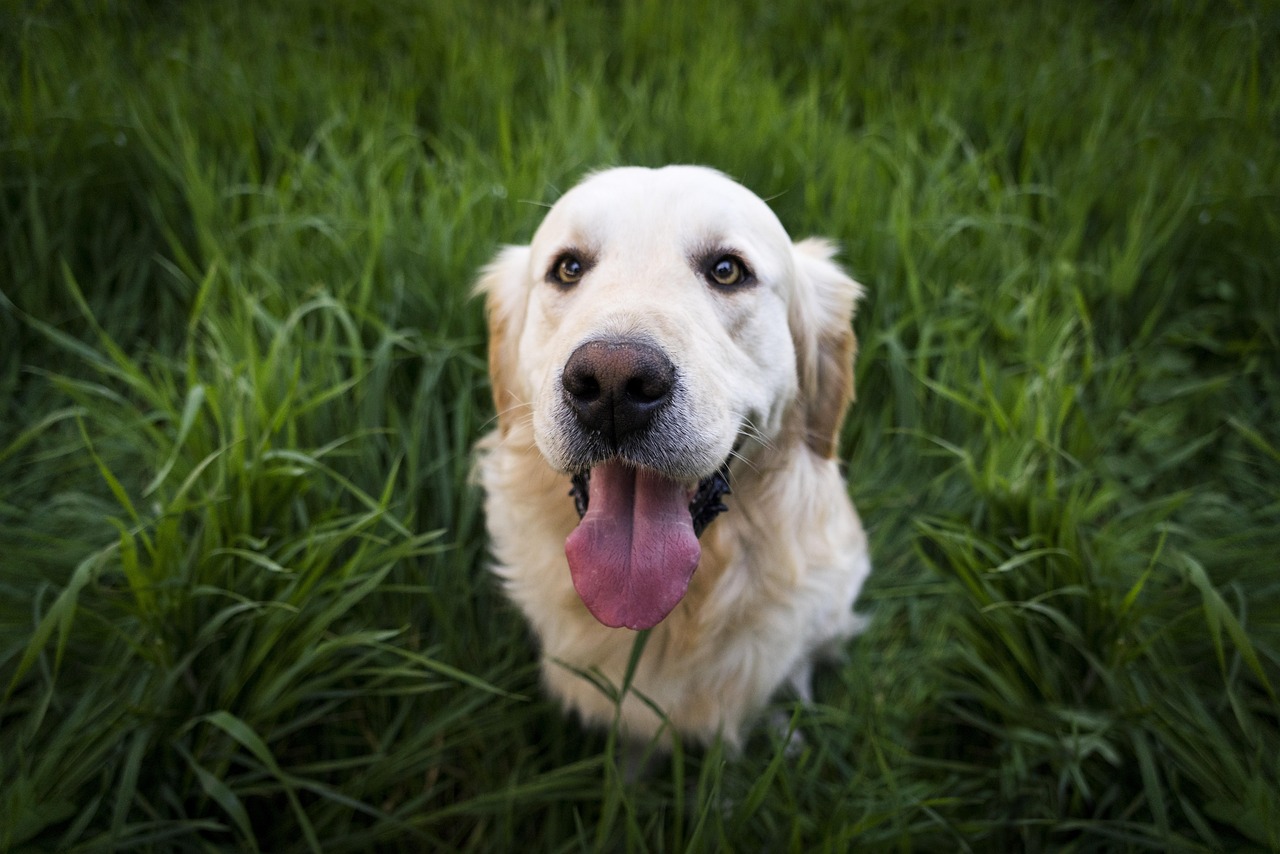
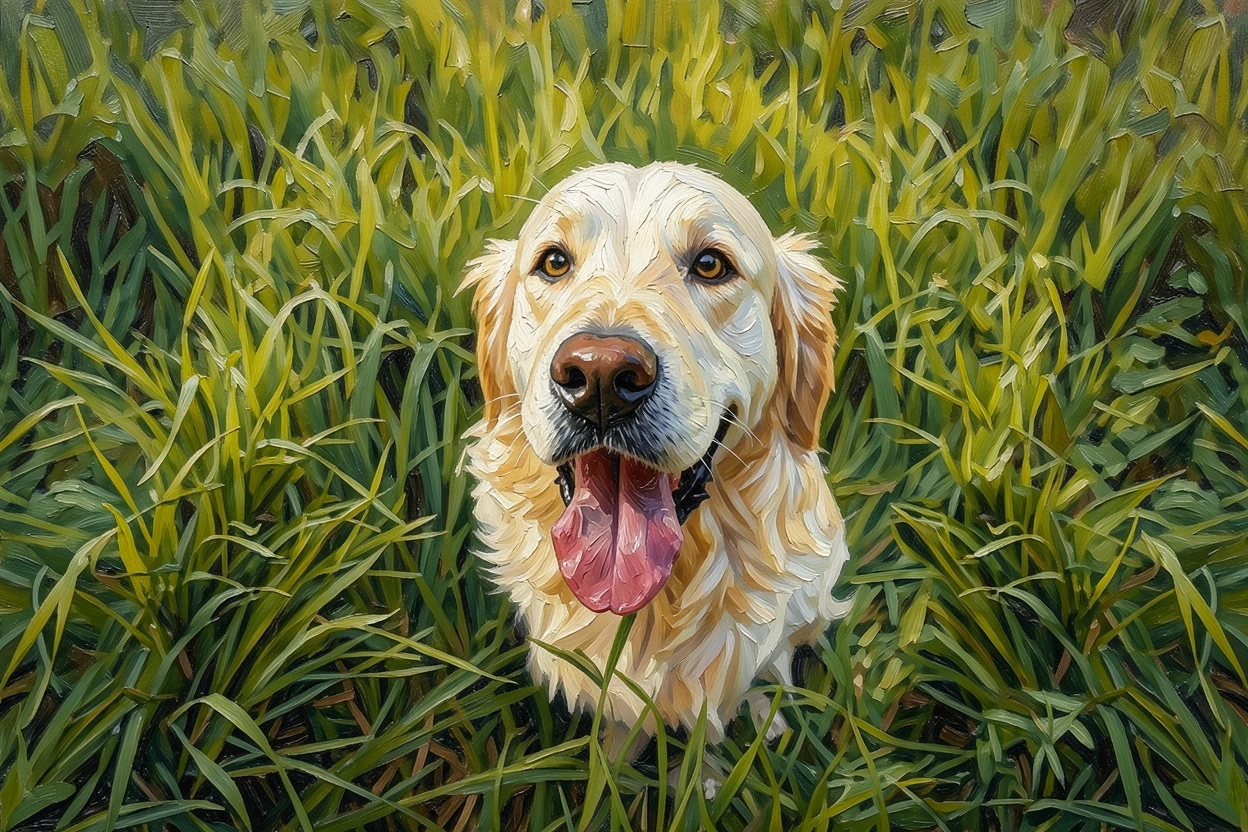 Photo Painting
 Source photo by Pexels via Pixabay. After: generated with ReArt.
Look closely at that one. The markings, the set of the eyes, the expression you actually recognise, that’s what has to survive the translation into paint. So if this is a gift, the anniversary wedding photo or the portrait of a pet who’s gone, spend your effort on photo selection, not on hoping. An old printed photo can absolutely work; just scan or photograph it as sharply and evenly as you can first.
Canvas or poster: which reads as “real art”?
We print two ways, canvas and poster, and for the oil look the choice matters more than usual.
Canvas is the one that reads as a painting across a room. The woven texture catches light much like a real canvas, there’s no glass or glare, and the brushwork sits on a surface instead of behind glossy paper. For a portrait over the sofa or a pet you want to feel present, canvas is usually the one that carries it.
Poster is a flat, clean print on paper. It’s a good option if you plan to put it behind glass in your own frame, or want something lighter and easy to swap. The oil colours and strokes still come through; you just lose the physical texture.
Will it look tacky in my living room?
The kitsch fear is fair, and it’s mostly a matter of restraint. The source photo does most of the work here, as we’ve covered: a calm, well-lit image reads as a deliberate piece. Beyond that, size it to the wall so it reads as a choice rather than an afterthought, and let the source sharpness decide how big you go, since a soft phone photo holds up at smaller sizes but a large canvas wants a sharp original to print cleanly. Oil also suits some subjects especially naturally: a pet, a portrait, a landscape, even a still life of flowers from your own kitchen table.
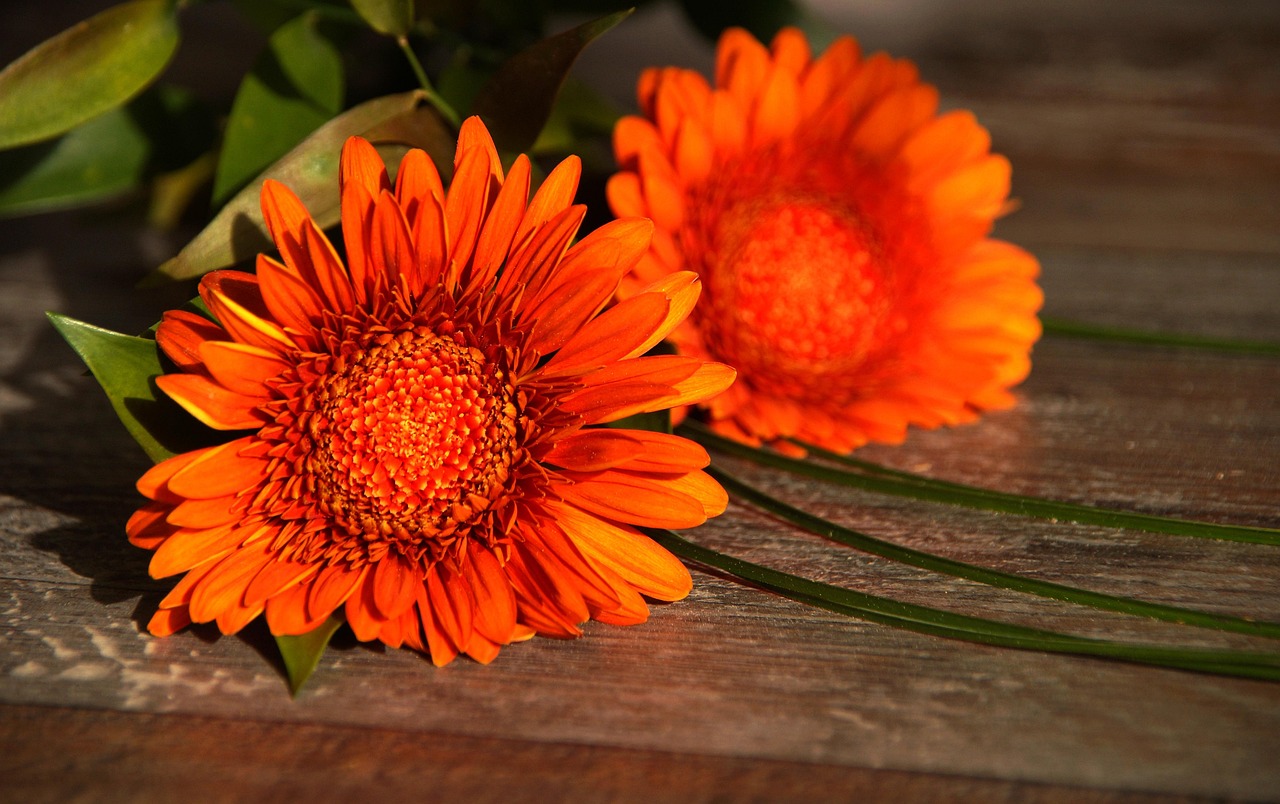
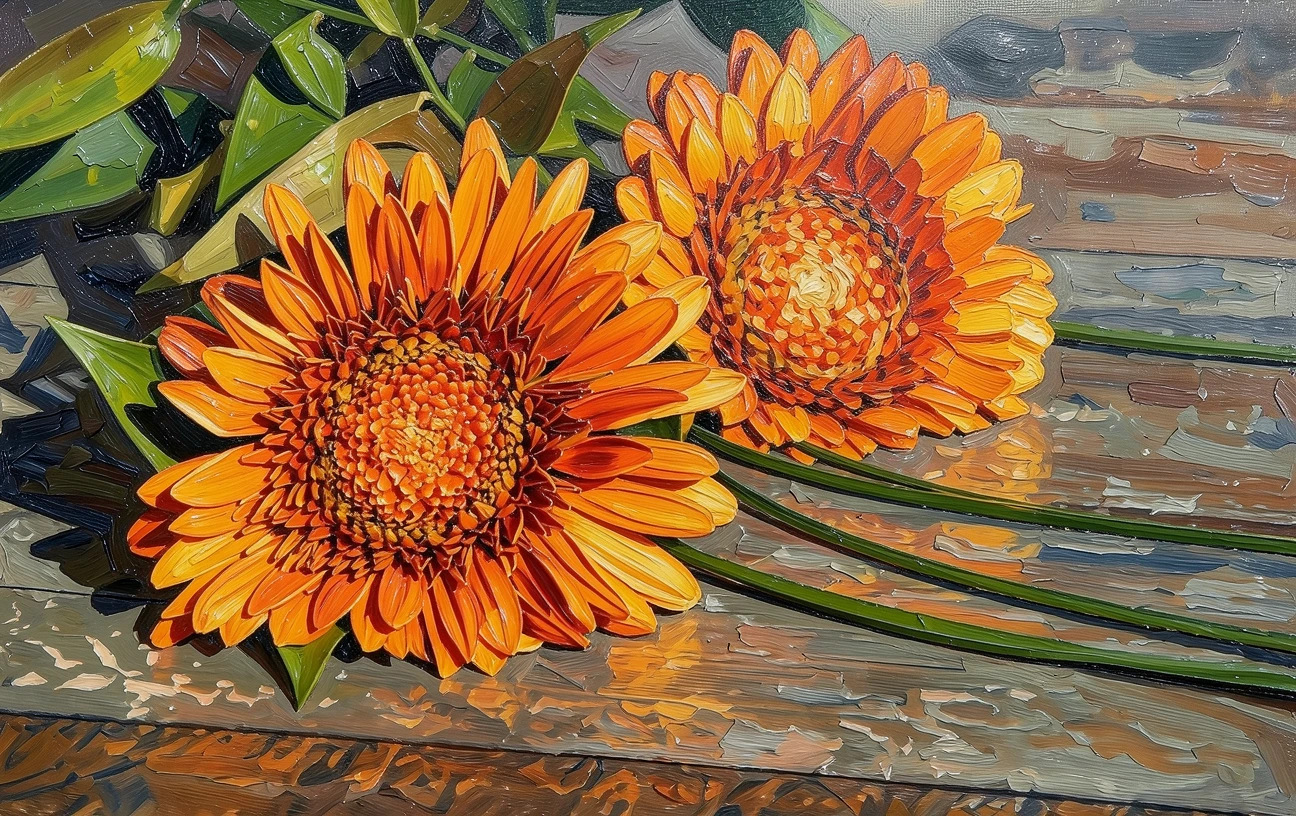 Photo Painting
 Source photo by Monsterkoi via Pixabay. After: generated with ReArt.
That last one surprises people. A plain photo of flowers or fruit turns into an oil painting from a photo beautifully, because still life is classic oil territory: soft light, simple shapes, rich colour.
The honest next step
A good photo-to-oil-painting conversion isn’t a filter, and it isn’t magic. It’s a translation. Give it a clear, well-lit photo of a subject you love and it hands you back something that looks painted, warm, and genuinely yours. Give it a dark, blurry, cluttered one and it does its best with what’s there, which is exactly why it’s worth choosing the right photo first.
The useful part is that you don’t have to guess. Upload your photo, see the oil preview against your own image, and check the two things that matter: does it still look like them, and would it look right on the wall — before you decide anything.
If you’ve got the photo in mind, try it and see what the oil look does with it: platform.reart.app